
Exploring the Klustron Table Group Feature
Exploring the Klustron Table Group Feature
Note:
Unless specified otherwise, any version number mentioned in the document can be replaced by any released version number. For a list of all released versions, refer to: Release_notes
Content:
Table group is a distinctive feature of Klustron as a distributed database. A table group is an attribute of a table that affects the specific distribution of the table's data across shards. This article introduces the purpose of table groups, the syntax, and specific examples, demonstrating the advantages of using table groups. Finally, the process of completely migrating a table group to another shard will be demonstrated through XPanel.
01 Introduction to Table Group
In real-world scenarios, some tables that are related often need to join or are frequently updated within the same transaction. Therefore, Klustron allows users to place these related tables in the same shard to achieve better query performance and transaction processing performance.
When performing joins among these related tables, the join operation can be pushed down to the storage shard for execution, thus obtaining better query performance; when updating related tables within the same transaction, it can avoid two-phase commits, thereby achieving better transaction processing performance.
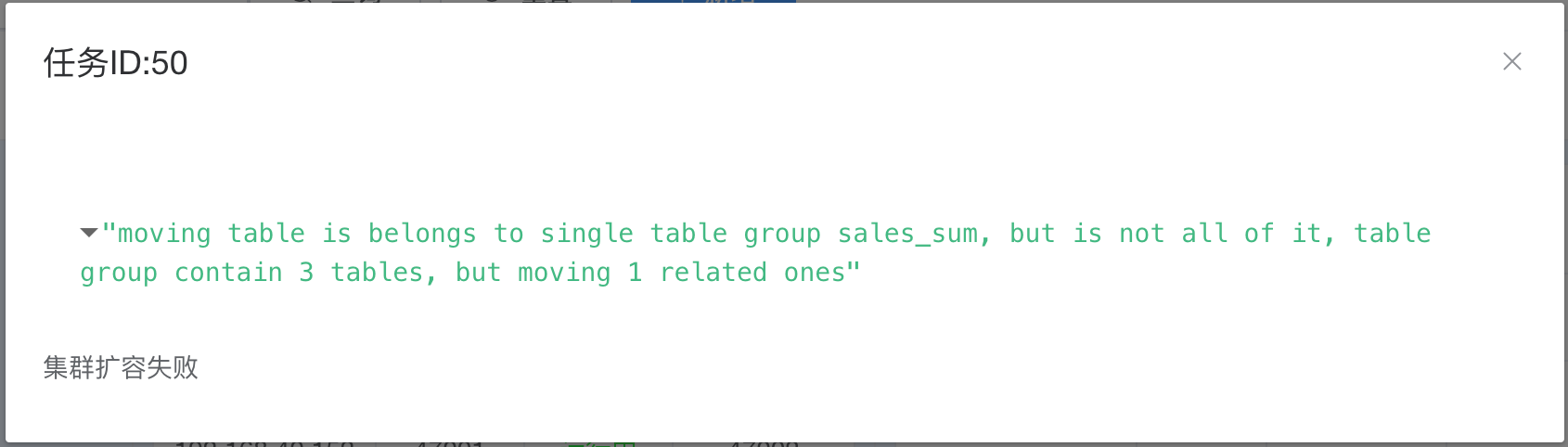
A single table in a table group cannot be migrated independently to another shard; if migration is necessary, it must involve the entire table group.
02 Test Environment
Since the tests are conducted on virtual machines, the execution times mentioned in this article can only serve as a reference for comparison between different scenarios under the same environment. The configuration information for the test cluster's virtual machines is as follows:
| Node Type | Name | IP | CPU | Memory |
|---|---|---|---|---|
| Compute Node | 192.168.40.152 | 2C Intel i9 2.4 GHz | 6G | |
| Storage Primary Node | shard_1 | 192.168.40.151 | 2C Intel i9 2.4 GHz | 6G |
| Storage Primary Node | shard_2 | 192.168.40.153 | 2C Intel i9 2.4 GHz | 6G |
03 Table Group Syntax
The syntax for creating a table group is as follows:
CREATE TABLEGROUP tablegroup_name
    [ OWNER  { new_owner | CURRENT_USER | SESSION_USER } ]
    [ WITH (SHARD = shardid) ]
When creating a table, you can specify the table group name.
CREATE TABLE table_name … WITH (TABLEGROUP tablegroup_name);
You can also specify the table group for a table after its creation using the following statement:
ALTER TABLE table_name SET (TABLEGROUP tablegroup_name);
04 Practical Example
First, log into the compute node at 192.168.40.152 using the psql client to create a user and database and check the shard information in the cluster.
psql -h 192.168.40.152 -p 47001 postgres
create user kunlun_test with password 'kunlun';
create database testdb owner kunlun_test;
grant all privileges on database testdb to kunlun_test;
alter user kunlun_test superuser;
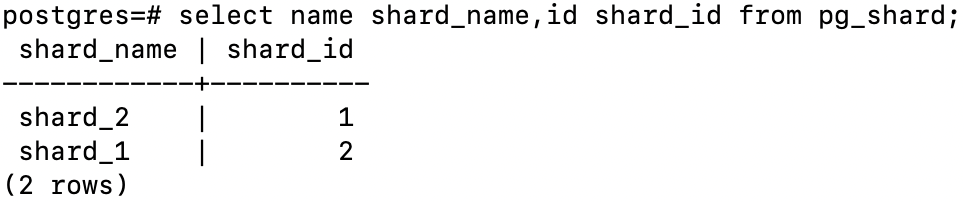
Log in as kunlun_test to testdb and create the test tables: sales_order, product, and customer.
Specify that customer and product are stored on shard_2, and sales_order is stored on shard_1.
psql -h 192.168.40.152 -p 47001 -U kunlun_test testdb
CREATE TABLE customer
(
   customer_number      INT NOT NULL,
   customer_name        VARCHAR(128) NOT NULL,
   customer_street_address VARCHAR(256) NOT NULL,
   customer_zip_code    INT NOT NULL,
   customer_city        VARCHAR(32) NOT NULL,
   customer_state       VARCHAR(32) NOT NULL,
   PRIMARY KEY (customer_number)
)
with(shard=1);
CREATE TABLE product
(
   product_code         INT NOT NULL,
   product_name         VARCHAR(128) NOT NULL,
   product_category     VARCHAR(256) NOT NULL,
   PRIMARY KEY (product_code)
)
with (shard=1);

CREATE TABLE sales_order
(
   order_number         INT NOT NULL,
   customer_number      INT NOT NULL,
   product_code         INT NOT NULL,
   order_date           DATETIME NOT NULL,
   entry_date           DATETIME NOT NULL,
   order_amount         DECIMAL(18,2) NOT NULL,
   PRIMARY KEY (order_number)
) with (shard=2);
Insert test data:
INSERT INTO customer
( customer_number
, customer_name
, customer_street_address
, customer_zip_code
, customer_city
, customer_state
 )
VALUES
  (1,'Big Customers', '7500 Louise Dr.', '17050','Mechanicsburg', 'PA')
, ( 2,'Small Stores', '2500 Woodland St.', '17055','Pittsburgh', 'PA')
, (3,'Medium Retailers', '1111 Ritter Rd.', '17055',  'Pittsburgh', 'PA')
,  (4,'Good Companies', '9500 Scott St.', '17050','Mechanicsburg', 'PA')
, (5,'Wonderful Shops', '3333 Rossmoyne Rd.', '17050','Mechanicsburg', 'PA')
, (6,'Loyal Clients', '7070 Ritter Rd.', '17055', 'Pittsburgh', 'PA')
;
Use the following stored procedures to load test data for product and sales_order, loading 1000 rows for product and 100000 rows for sales_order.
create or replace procedure generate_order_data()
AS $$
DECLARE
  v_customer_number integer;
  v_product_code integer;
  v_order_date date;
  v_amount integer;
  start_date date := to_date('2022-01-01','yyyy-mm-dd');
  i integer :=1;
BEGIN
	while i<=100000 loop
		v_customer_number := FLOOR(1+RANDOM()*6);
		v_product_code := FLOOR(1+RANDOM()*1000);
		v_order_date := to_date('2022-01-01','yyyy-mm-dd') + CAST(FLOOR(RANDOM()*365) AS INT);
		v_amount := FLOOR(1000+RANDOM()*9000);
		INSERT INTO sales_order VALUES (i,v_customer_number,v_product_code,v_order_date,v_order_date,v_amount);
		commit;
		i := i+1;
	end loop;
END; $$
LANGUAGE plpgsql;

create or replace procedure generate_product_data()
AS $$
DECLARE
  v_product_name varchar(128);
  i integer :=1;
BEGIN
	while i<=1000 loop
               case mod(i,3)
                   when 0 then
		        v_product_name := 'Hard Disk '||i;
		        INSERT INTO product VALUES (i,v_product_name,'Storage');
	         when 1 then
                          v_product_name := 'LCD '||i;
		         INSERT INTO product VALUES (i,v_product_name,'Monitor');
	         when 2 then
		      v_product_name := 'Paper'||i;
		       INSERT INTO product VALUES (i,v_product_name,'Paper');
		end case;
	      commit;
		i := i+1;
	end loop;
END; $$
LANGUAGE plpgsql;
After data loading, create an index for sales_order and collect statistics for all tables:
set statement_timeout=0;
call generate_product_data();
call generate_order_data();
create index sales_order_idx1 on sales_order(order_date);
analyze product;
analyze sales_order;
analyze customer;
\timing on
The business wants to see how much Big Customers spent on each product category in the first half of 2022.
Here's the specific SQL:
select product_category,sum(order_amount ) from sales_order t1, product t2 ,customer t3 where
t1.product_code = t2.product_code and
t1.customer_number = t3.customer_number and
t1.order_date between to_date('2022-01-01','yyyy-mm-dd') and to_date('2022-06-30','yyyy-mm-dd') and customer_name='Big Customers' group by product_category;
Review the execution plan:
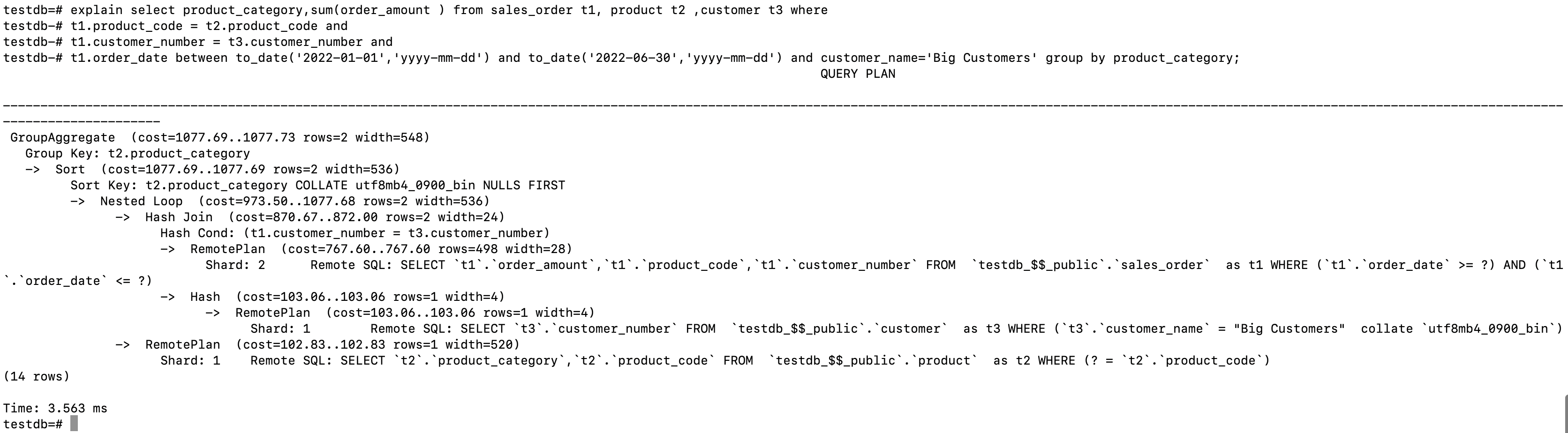
It shows data being fetched from both Shard 1 and Shard 2, joined on the compute node.
The execution time was 168 ms.

Now create a table group, sales_sum, on Shard 2, and place the sales_order table in it.
CREATE TABLEGROUP sales_sum WITH (SHARD=2);
alter table sales_order set (tablegroup=sales_sum);
Recreate the product and customer tables, specifying the table group sales_tg at creation.
drop table customer;
alter table product rename to product_old;
CREATE TABLE customer
(
   customer_number      INT NOT NULL,
   customer_name        VARCHAR(128) NOT NULL,
   customer_street_address VARCHAR(256) NOT NULL,
   customer_zip_code    INT NOT NULL,
   customer_city        VARCHAR(32) NOT NULL,
   customer_state       VARCHAR(32) NOT NULL,
   PRIMARY KEY (customer_number)
)
with (tablegroup=sales_sum);

CREATE TABLE product
(
   product_code         INT NOT NULL,
   product_name         VARCHAR(128) NOT NULL,
   product_category     VARCHAR(256) NOT NULL,
   PRIMARY KEY (product_code)
)
with (tablegroup=sales_sum);
Reload data for customer and product and collect statistics:
INSERT INTO customer
( customer_number
, customer_name
, customer_street_address
, customer_zip_code
, customer_city
, customer_state
 )
VALUES
  (1,'Big Customers', '7500 Louise Dr.', '17050','Mechanicsburg', 'PA')
, ( 2,'Small Stores', '2500 Woodland St.', '17055','Pittsburgh', 'PA')
, (3,'Medium Retailers', '1111 Ritter Rd.', '17055',  'Pittsburgh', 'PA')
,  (4,'Good Companies', '9500 Scott St.', '17050','Mechanicsburg', 'PA')
, (5,'Wonderful Shops', '3333 Rossmoyne Rd.', '17050','Mechanicsburg', 'PA')
, (6,'Loyal Clients', '7070 Ritter Rd.', '17055', 'Pittsburgh', 'PA');

insert into product select * from product_old;
analyze product;
analyze customer;
Recheck the SQL execution plan; now everything is executed on Shard 2.

The execution time has improved, reduced by 49.4 ms.

05 Table Group Migration
You can view the shard and table group information for a table as shown below.

Attempt to migrate the customer table to shard with id=1 using XPanel.
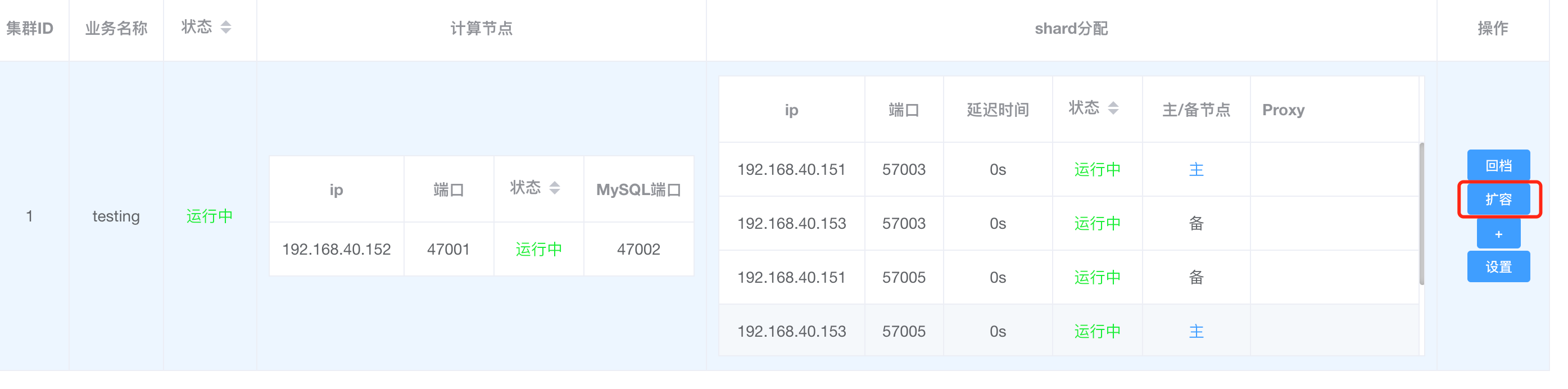
Select the database as testdb, then click confirm.
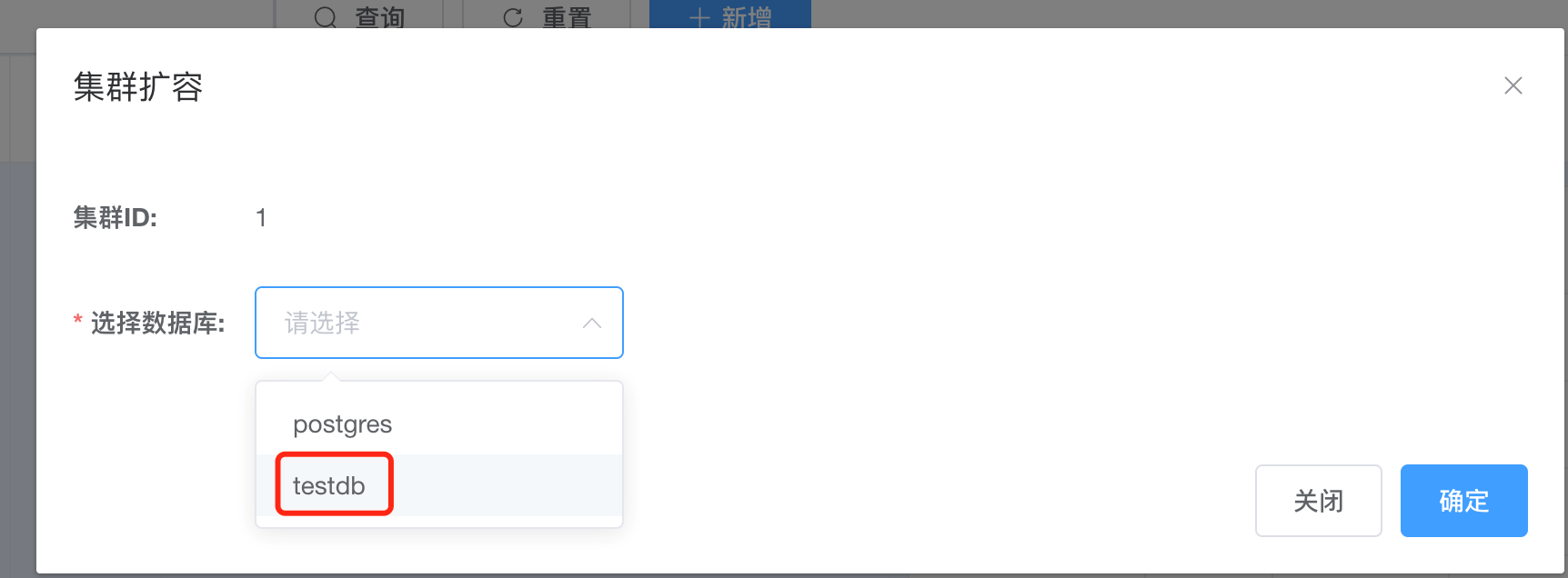
First, select the customer table, check "No" for "Keep original table", choose "shard_2" as the target shard, and then click confirm.
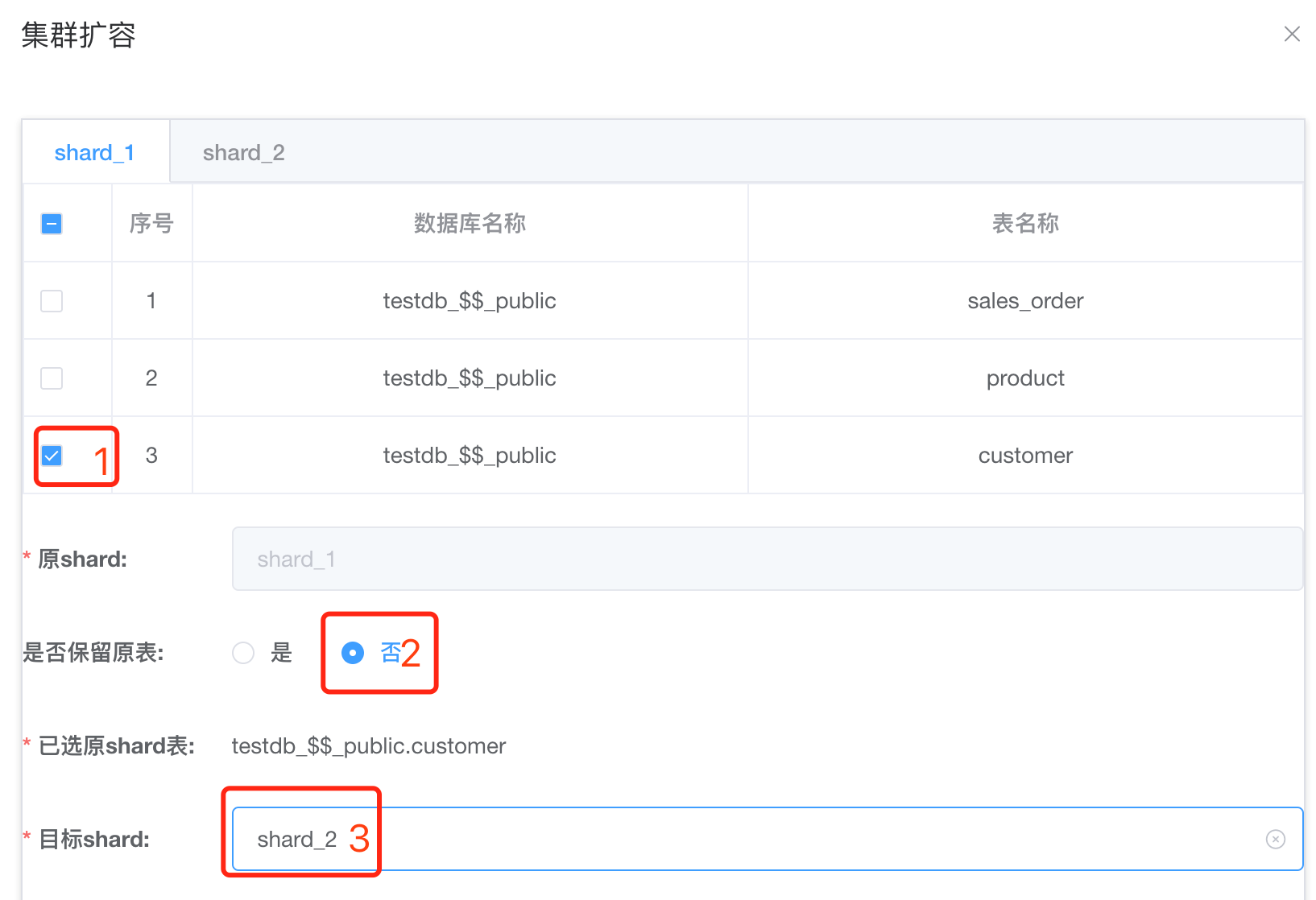
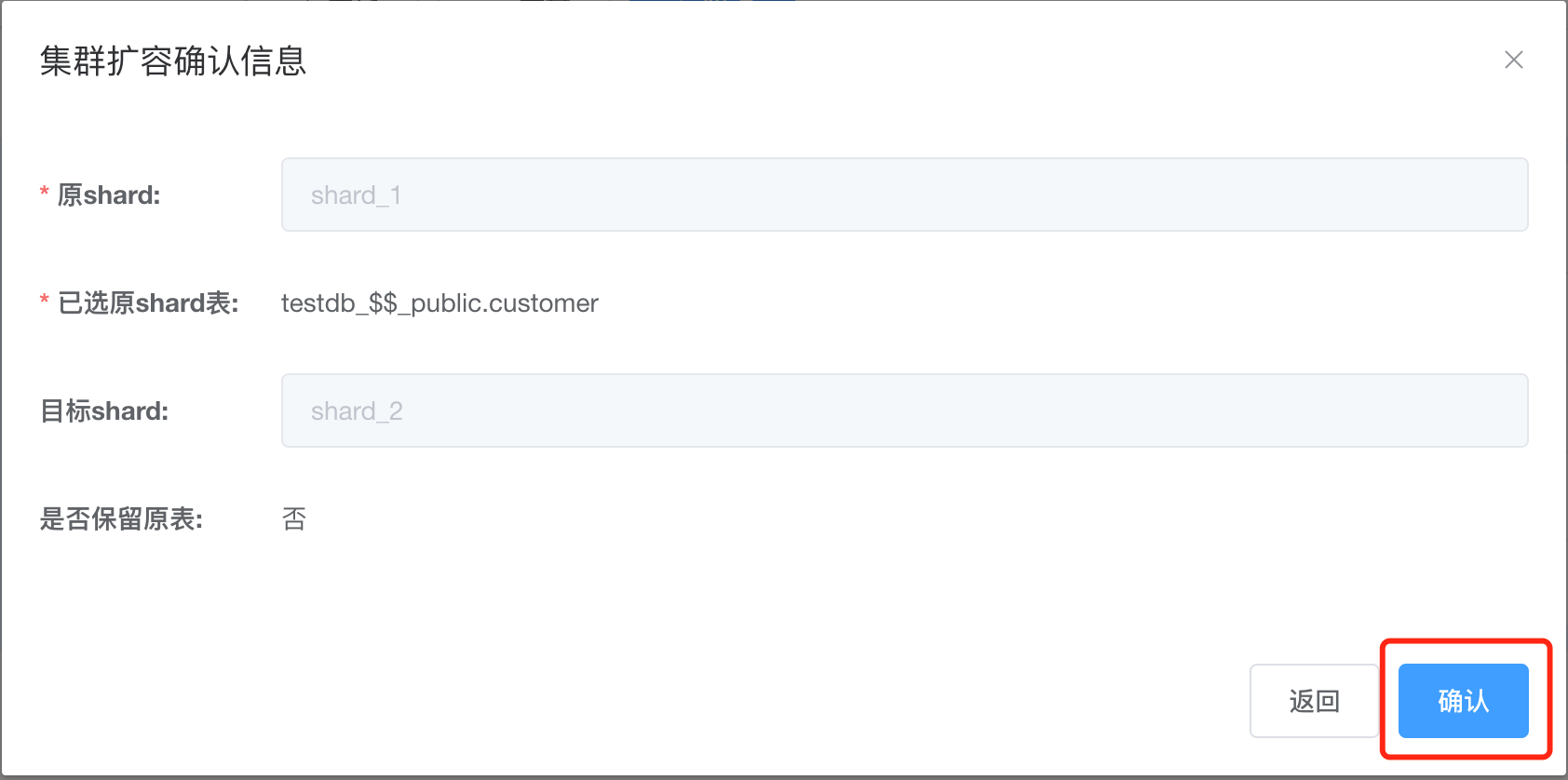
An error occurs when trying to move the customer table individually, as it's not possible to move part of a table group on its own.
Try again to move all tables in the table group sales_sum; customer, product, and sales_order.
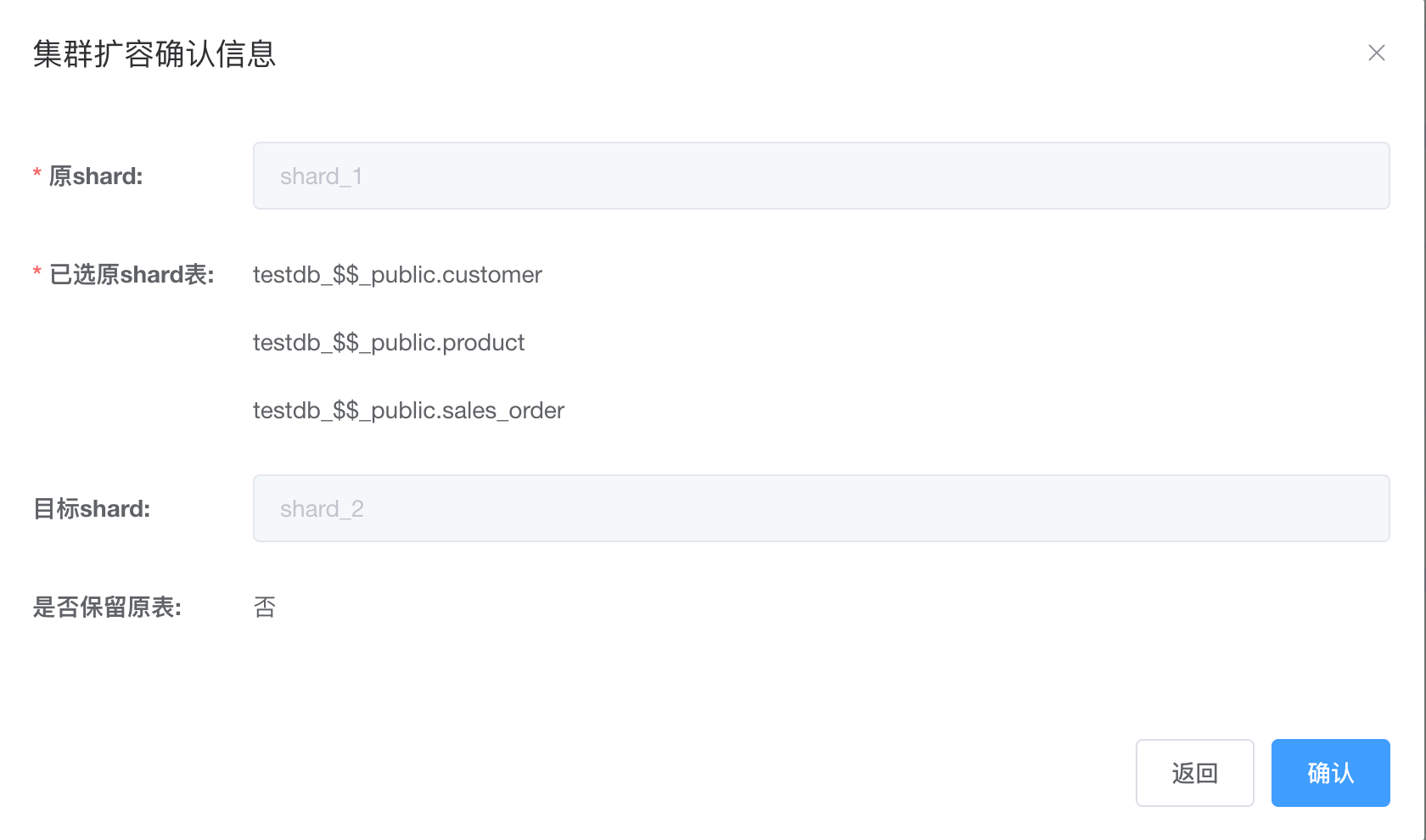
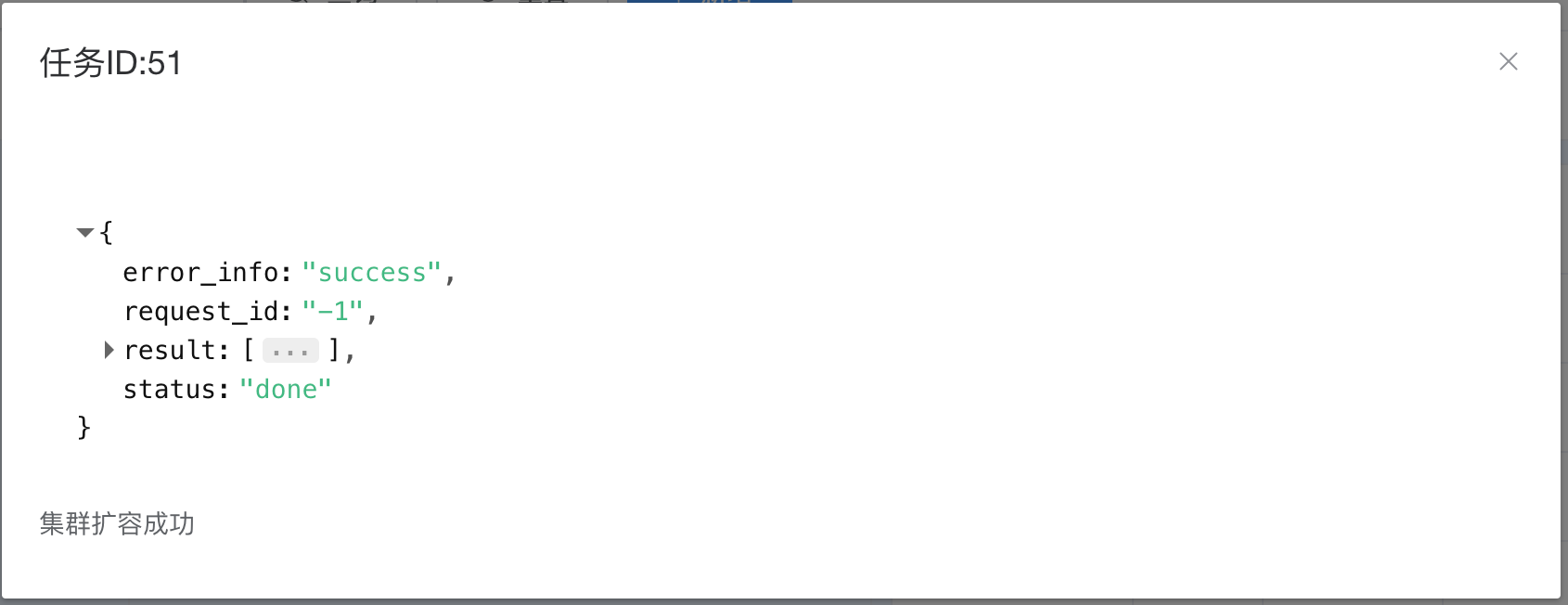
The task to move all tables in the entire table group is successful.
Verify that after the move, all tables are now located at shard_2 (shard id=1).
