Klustron Online DDL and Table Repartition Funtionality and Usage
Klustron Online DDL and Table Repartition Funtionality and Usage
1 Background:
After creating a table in Klustron cluster, as the business needs and the data volume of the table change, the originally created table may no longer be suitable. For example, if the partitioning is not reasonable, the query and insertion operations may become slower, or if the table data becomes smaller and there are no longer as many partitions as before, users may need to add or delete columns, modify column data types, modify primary keys, add indexes, etc. Users hope to be able to complete these DDLs or re-modify the table partitions online without affecting business operations. To address this scenario, the Klustron team has developed the functionality of online DDL and online table partition modification, referred to as repartition in this article.
The Repartition feature not only supports the conversion between a non-partitioned table and a partitioned table, changing the partitioning rules, and modifying partitioning parameters, but also enables all DDL operations to be performed online without locking the table or affecting the normal operation of the business system.
If users encounter DDL statements that cannot be completed instantly, they can use this feature to implement Online DDL --- by first creating the table based on the new table definition, then performing a Repartition operation --- to instantly switch all the data from the source table to the new table without affecting the normal operation of the application system. Therefore, the Repartition feature can be considered as Klustron's Online DDL feature, which is applicable to all DDL operations. In particular, for MySQL, these two types of alter table alter column operations that require table rebuilding (algorithm=copy) are counterintuitive. First, changing the data type of a column, even when increasing the width (such as changing int to bigint), still requires copying the entire table. Second, changing the null value constraint of a column to NULL or NOT NULL also requires copying the entire table. Users can use Klustron's Repartition to complete these operations online.
2 Implementation principle:
Premise: The user has already created the target table with the new partitioning rules or according to the new table design, for example, create table t1(like t0, including all), and the source and target tables have the same structure.
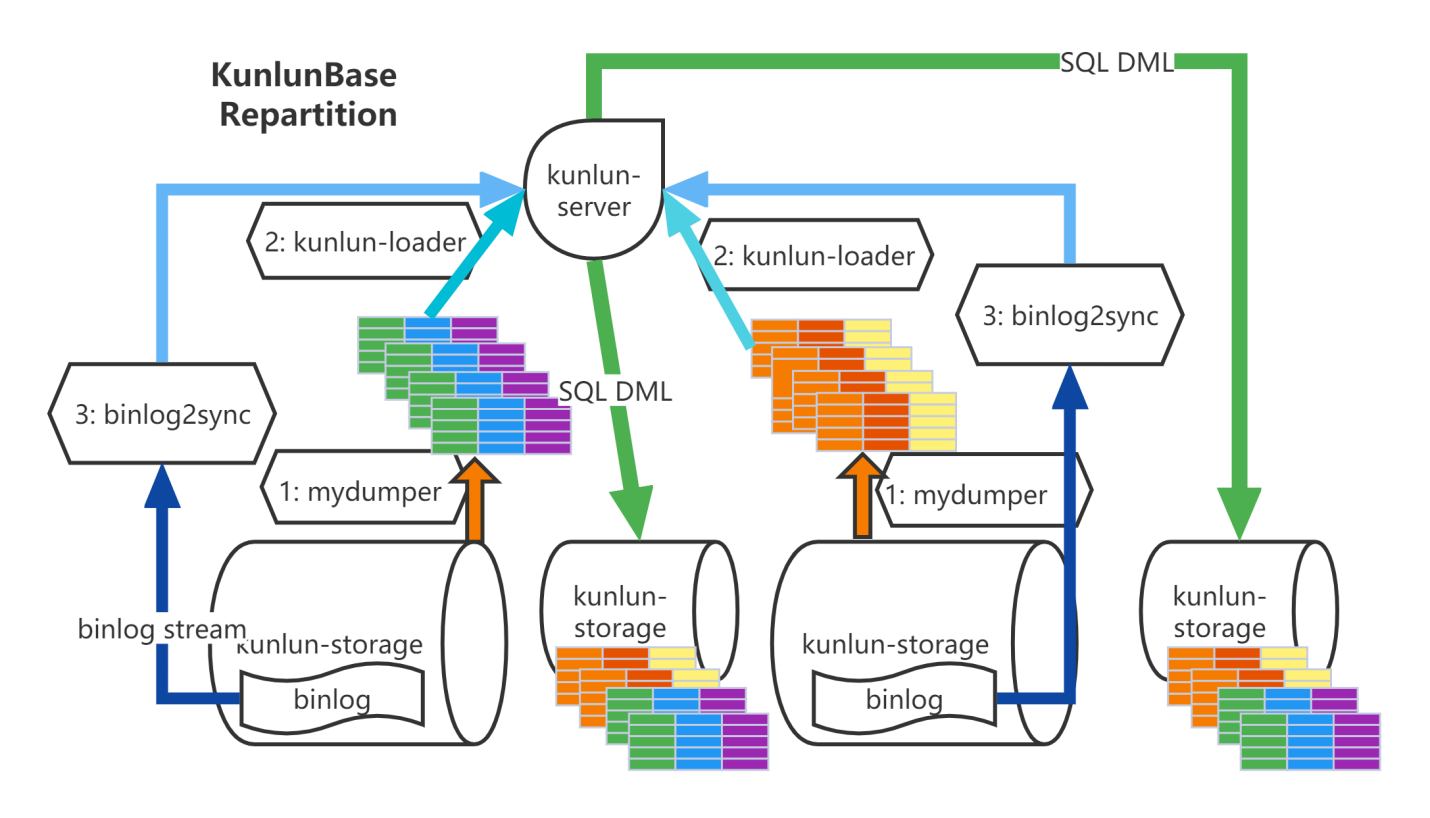
Task execution process: Table redistribution is completed by the cluster_mgr and node_mgr modules working together. After receiving the business request, cluster_mgr parses the request content, checks the parameters, and plans the node_mgr nodes that need to be operated. Send a command to the node_mgr module to perform specific operations.
Method: Export data from the source table and import it into the target table, and then import the updates made to the source table during this period into the target table.
Export full table data
node_mgr calls mydumper to dump the source table data and transfer the data files to the server where the computing node is located
Load full table data
node_mgr calls the kunlun_loader tool to import the source table dump full data into the target table. kunlun_loader is based on myloader and adds the functionality of mapping database and table names. When calling kunlun_loader to import data, it automatically completes the mapping of database and table names based on the configured rules. Additionally, kunlun_loader uses Klustron's MySQL port to write data to the computing node. To improve processing speed, the node_mgr uses a multi-table parallel dump and load method.
binlog catch-up --- binlog2sync
node_mgr calls the binlog2sync tool based on the binlog starting position recorded for each shard during dump, and binlog2sync dumps binlog events from that position and synchronizes the source table while filtering out unnecessary binlog events. For update events on the source table, it automatically converts them to SQL statements and maps the database and table names. It then sends the converted SQL statements to the computing node to execute via Klustron's MySQL port.
Rename the source table and target table via the computing node when it is about to be completed
The binlog2sync tool determines whether to switch table names based on the binlog write position in the source shard and its own binlog dump position, minimizing the time to switch table names and reduce the impact on business. After the table names are switched, the business cannot write to the source table. The tool quickly synchronizes the remaining binlog events to ensure that newly added data in the source is fully imported into the target table. The target table is then renamed to the source table name, and business operations can resume as usual. This stage may have a millisecond-level impact on business.
3 The new table and the source table must have the following similarities and can have the following differences:
Since the insert statements generated by Klustron online DDL (repartition) functionality's mydumper and binlog2sync contain all the column names of the source table, we can easily draw the following conclusions about the similarities and differences between the source table and the new table.
To facilitate the description, we will refer to the two columns with the same name in the source table and the new table as colX and colY respectively. The new table must be consistent with the source table and may differ in the following aspects.
3.1 Column set
All column names in the source table must appear in the new table, but the order of these columns can be different. The new table can add more columns, but these columns must have default values or allow NULL values. Therefore, an online DDL can perform multiple operations at the same time, including adding columns (not only at the end but also at any position in the table) and adjusting column order, constraints, and default values.
Columns with the same name in the source and new tables can have different default values or NULL constraints or check constraints, but if colX has NULL values while colY is NOT NULL, or if the data in colX does not meet the check constraint in colY, the data import will fail and the repartition operation will fail.
3.2 Column data types
The data types of columns with the same name in the source and new tables must be either exactly the same or belong to the same category, and colY can have a wider data type but not a narrower one.
For example, if both are integers and colX is int, then colY can be bigint but not smallint or tinyint. If colX is float, colY can be float or double. If colX is varchar(10), colY can be varchar(11), char[11], text, but not varchar(9), char(9), int, float, and so on.
For string types, there is one more thing to note, which is the character set. If the data type of colX is varchar/char(n)/[long/medium]text, then its character set should be the same as colY's character set (collation can be different if it meets the expected application logic). If the character set of colX and colY really needs to be different (for example, this online DDL operation is to modify the character set), then the character set of colY must contain the character set of colX. For example, if the character set of colX is utf8mb3, the character set of colY can be utf8mb4 but not latin1, gbk, and so on, otherwise, string searches may fail.
If colX and/or colY are domain types, colY must have a wider range of valid values and check and constraints defined on the domain should be broader than colX, otherwise, the data import to the new table will also fail.
3.3 Index
The source table and the new table can have completely different index definitions and primary key definitions. For example, the new table is designed to modify the primary key, or to add an index or a unique index. However, the data in the source table must be able to satisfy all the unique index and primary key constraints of the new table, otherwise the data import will fail.
3.4 Partition rules and parameters
The source table and the new table can have completely different table partition rules and table partition parameters. Both the source table and the new table can be a single table, a mirrored table, or a partitioned table. For example, the source table is a single table, unpartitioned, and the new table is partitioned according to a certain rule; or the new table is a mirrored table; the source table is a mirrored table, and the new table is a single table or a partitioned table; the source table and the new table use different partition rules (such as hash -> range) or partition parameters (such as both are hash partitions, but the source table has 4 partitions and the new table has 16 partitions).
3.5 Table constraints
The source table and the new table can have different table-level check constraints and trigger definitions, but the data in the source table must be able to pass the check constraints of the new table, otherwise the data import will fail.
In summary, using Klustron repartition function, a series of DDL and table repartition operations can be unified in one operation, greatly reducing the operational complexity and time cost of DBAs, and avoiding the impact on the normal operation of the application system.
4 Configuration and Usage:
4.1 Complete the operation through the table repartition interface provided by cluster_mgr.
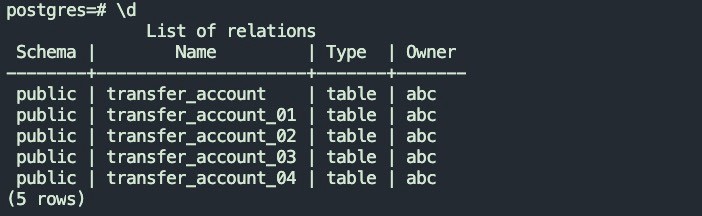
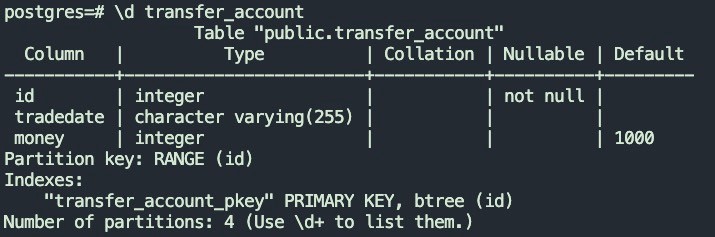
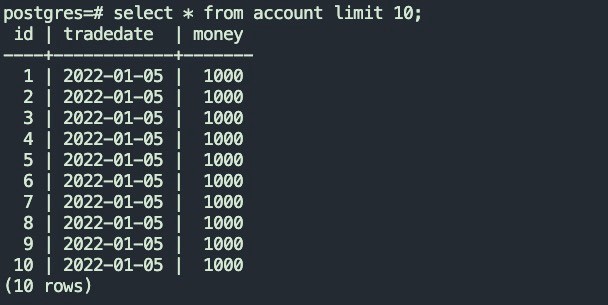
4.1.1 The structure and data of the source table are as follows:
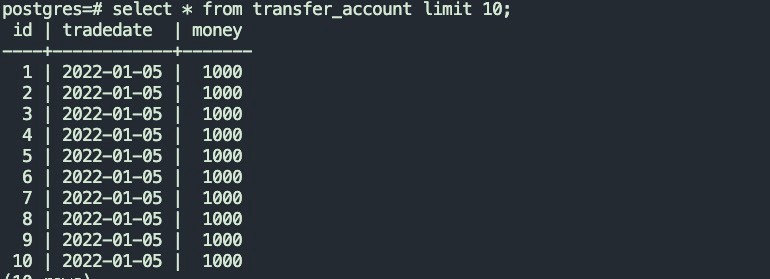
4.1.2 Target table structure
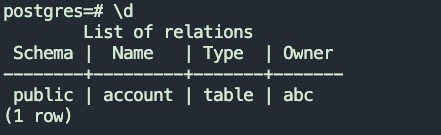
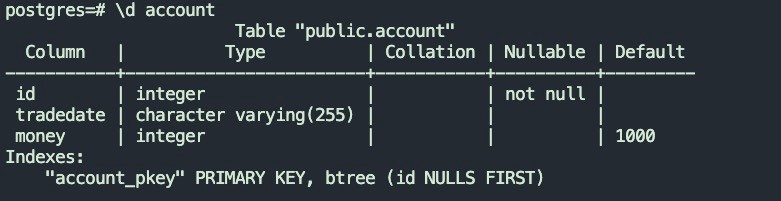
4.1.3 Call the cluster_mgr table repartition API
curl -d '

{

  "version":"1.0",

  "job_id":"",

  "job_type":"table_repartition",

  "timestamp":"1435749309",

  "user_name":"kunlun_test",

  "paras":{

    "src_cluster_id":"1",

    "dst_cluster_id":"3",

    "repartition_tables":"postgres_$$_public.transfer_accout=>postgres_$$_public.account"

  }

}

' -X POST http://127.0.0.1:58000/HttpService/Emit
This interface is an asynchronous interface that returns a job_id. The task execution status can be queried based on the returned job_id.
curl -d '

{

  "version":"1.0",

  "job_id":"10",

  "job_type":"get_status",

  "timestamp":"1435749309",

  "user_name":"kunlun_test",

  "paras":{

  }

}

' -X POST http://127.0.0.1:58000/HttpService/Emit
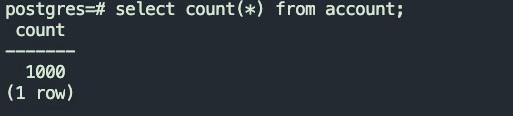
4.1.4 After the table task is executed successfully, the data in the target table will be as follows:
The amount of source table data

Target data size
4.2 Repartition using XPanel interface
4.2.1 Login to the settings page of the source table's cluster
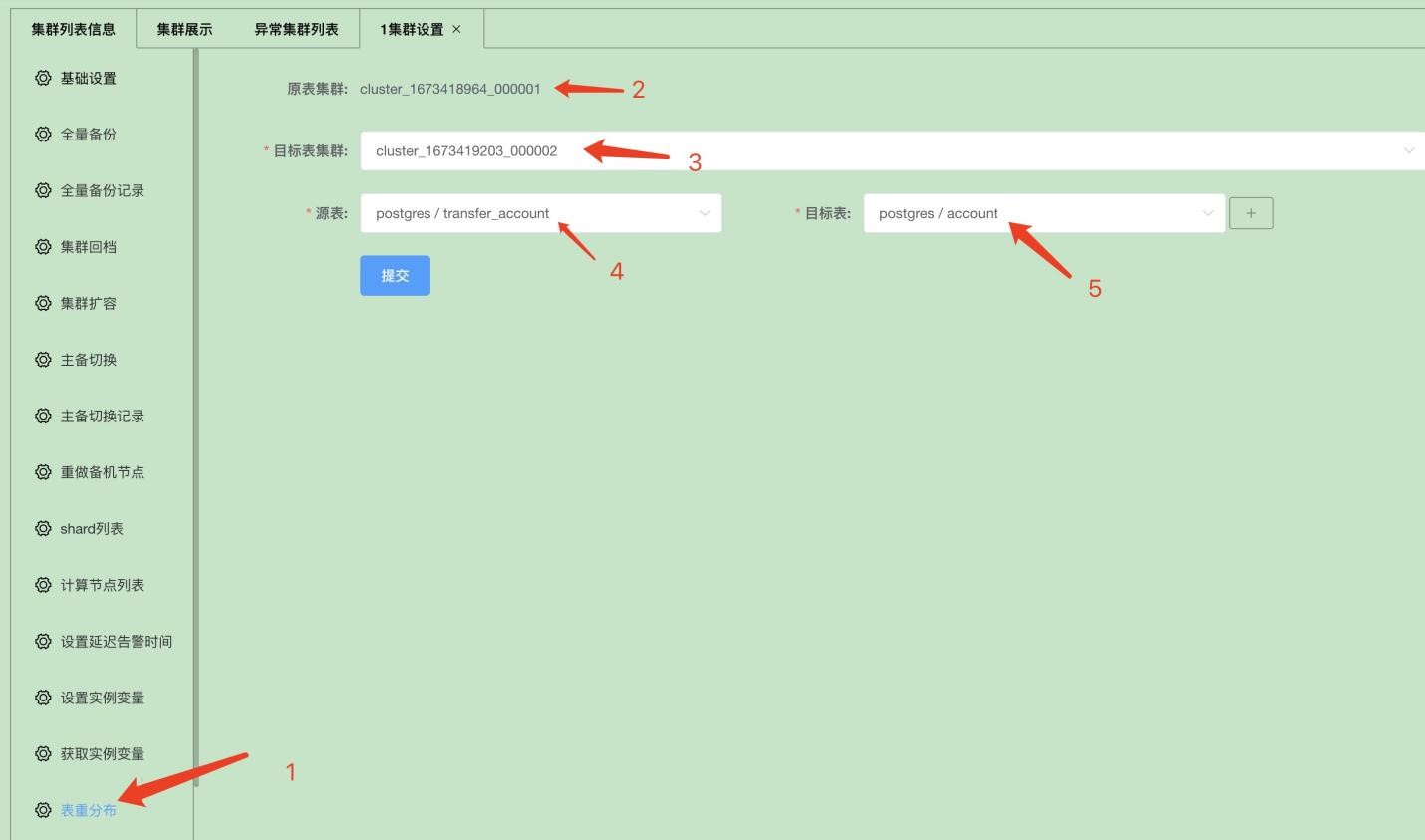
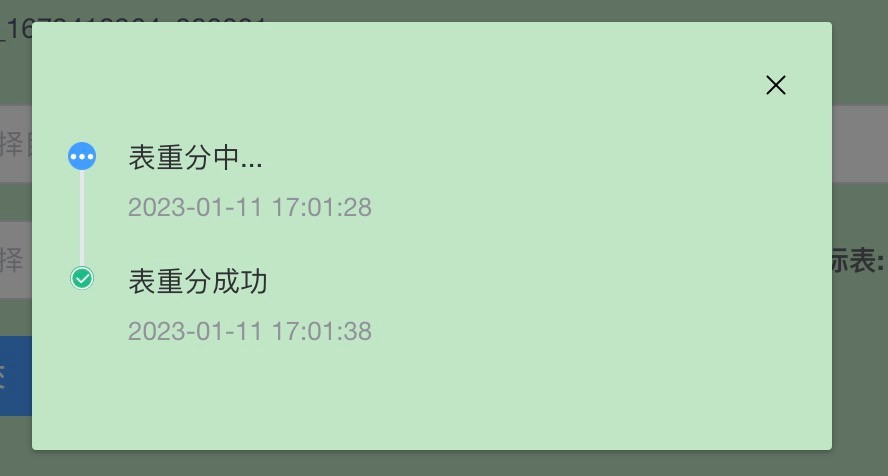
4.2.2 After selecting the configuration, click the submit button